
 cPanel
How to Set the PHP Version per Directory in cPanel
Do you want to use different PHP versions per directory? You can do this using cPanel and the dot htaccess file.1. Log in to your cPanel account. 2. In the Software section, click on MultiPHP Manager.3. The first thing we need to do is to get the code generated by cPanel.4. Scroll down to the bot...
cPanel
How to Set the PHP Version per Domain in cPanel
In this article, we will demonstrate how to use cPanel to set different PHP versions for individual domains. This can be beneficial, as some applications require specific versions to function correctly. For example, we will set PHP 8.3 on the Example2 domain and PHP 8.1 on the Example1 domain. 1....
cPanel
How to Reset the PHP Version to the Default Version in cPanel
If you want to reset the PHP version to the default version, follow these instructions:1. Log in to your cPanel account. 2. In the Software section, click on MultiPHP Manager.3. Scroll down to the bottom of the page. Select your domain from the left side of the screen. You can view the PHP Versio...
cPanel
How to Change the PHP Version on Your Domain in cPanel
Some software requires a different version of PHP. You can switch the PHP versions using cPanel. 1. Log in to your cPanel account. 2. In the Software section, click on MultiPHP Manager.3. Scroll down to the bottom of the page. Select your domain from the left side of the screen. You can view the ...
 cPanel
How to Disable the Two-Factor Authentication on Your cPanel Account
Follow this instruction to remove two-factor authentication from your cPanel account. 1. Log in to your cPanel account. 2. In the Security section, click on Two-Factor Authentication. 3. Click on Remove Two-Factor Authentication. 4. For confirmation, click on Remove. It should show a message such...
cPanel
How to Enable the Two-Factor Authentication on Your cPanel Account
Security is important for our data safety. We recommend you to enable the Two-Factor Authentication (2FA) on your cPanel account in order to prevent hackers from accessing your cPanel account even if they have somehow obtained your account details. What are the Requirements? You would need a smar...
 cPanel
How to Enable or Disable Mod Security in cPanel
Are you facing the issue of IP getting blocked repeatedly? If the answer is Yes, then it may have happened due to Mod Security. What is Mod Security? ModSecurity is a module that protects your website from various types of attacks. Mod Security protects a website from hackers, brute force attacks...
 cPanel
How to Access the WordPress Admin Dashboard
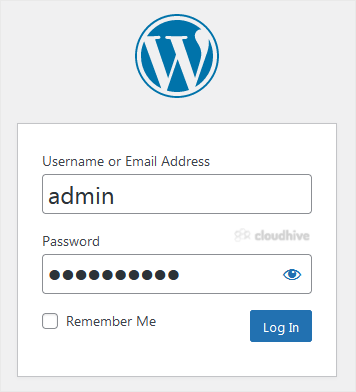
WordPress is an easy to work with CMS software. To access a WordPress account, please follow these instructions: 1. Open https://example.com/wp-admin in the web browser. Do not forget to replace example.com with your domain name. 2. Enter your WordPress credentials and click on Login. 3. If your ...
 cPanel
How to Install GRAV via Softaculous in cPanel
Softaculous helps you install web applications very easy. Please, follow the steps below to install GRAV. 1. Log in to your cPanel account. 2. In the Software section, click on Softaculous Apps Installer.3. cPanel will redirect you to the Softaculous interface.4. On the left side, type GRAV in th...
cPanel
How to Install ProcessWire via Softaculous in cPanel
Softaculous helps you install web applications very easy. Please, follow the steps below to install ProcessWire. 1. Log in to your cPanel account. 2. In the Software section, click on Softaculous Apps Installer.3. cPanel will redirect you to the Softaculous interface.4. On the left side, type Pro...
cPanel
How to Install Fork via Softaculous in cPanel
Softaculous helps you install web applications very easy. Please, follow the steps below to install Fork. 1. Log in to your cPanel account. 2. In the Software section, click on Softaculous Apps Installer.3. cPanel will redirect you to the Softaculous interface.4. On the left side, type Fork in th...
cPanel
How to Install Bolt via Softaculous in cPanel
Softaculous helps you install web applications very easy. Please, follow the steps below to install Bolt. 1. Log in to your cPanel account. 2. In the Software section, click on Softaculous Apps Installer.3. cPanel will redirect you to the Softaculous interface.4. On the left side, type Bolt in th...