
You can change the hostname in SolusVM 2.
1. Log in to your SolusVM 2 Control Panel.
2. Under Projects, click on the project that contains your VPS.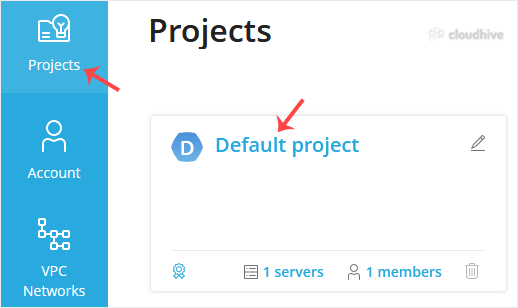
3. Click on the appropriate VPS.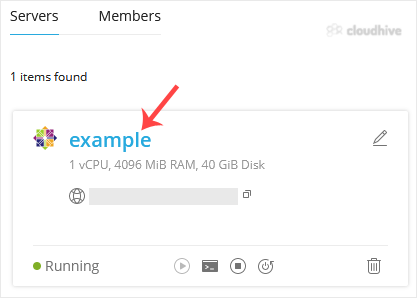
4. Click on the Edit icon at the top right side. Enter your new hostname, then click Save.
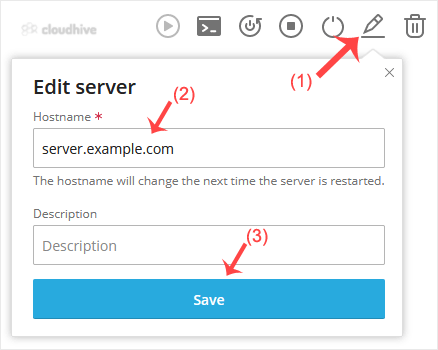
5. A reboot is required so that the saved changes can take effect.
Some example hostnames:
server1.example.com
hostingserver.example.com
You have successfully changed the hostname.