
Tutorial
How to Change Hostname in SolusVM 2
You can change the hostname in SolusVM 2.1. Log in to your SolusVM 2 Control Panel. 2. Under Projects, click on the project that contains your VPS. 3. Click on the appropriate VPS. 4. Click on the Edit icon at the top right side. Enter your new hostname, then click Save. 5. A reboot is required s...
Tutorial
How to Enable or Disable PPP in SolusVM 2
PPP means Point-to-Point Protocol. It is mainly used for older types of VPNs like PPTP. When PPP is enabled, it allows your VPS to send and receive data securely over that connection. If you do not have such use then you can keep it stay disabled.1. Log in to your SolusVM 2 Control Panel. 2. Unde...
Tutorial
How to Enable or Disable TUN/TAP in SolusVM 2
SolusVM 2 allows you to enable or disable TUN/TAP.1. Log in to your SolusVM 2 Control Panel. 2. Under Projects, click on the project that contains your VPS. 3. Click on the appropriate VPS. 4. Click on the Settings tab. 5. Toggle TUN/TAP to enable it, then click Change to proceed. 6. After making...
Tutorial
How to Start/Boot Your VPS in SolusVM 2
If your VPS is down/offline, you can start it using SolusVM 2.1. Log in to your SolusVM 2 Control Panel. 2. Under Projects, click on the project that contains your VPS. 3. Click on the appropriate VPS. 4. Click on Start.It may take some time for the VPS to start.
Tutorial
How to Check VPS Specifications and Virtualization Info in SolusVM 2
You can check VPS specifications such as RAM, disk space, virtualization, IP Address, etc., from the SolusVM 2 Control Panel.1. Log in to your SolusVM 2 Control Panel. 2. Under Projects, click on the project that contains your VPS. 3. Click on the appropriate VPS.4. Under the VPS hostname, you ca...
 Tutorial
How to Disable Rescue Mode in Virtualizor
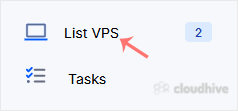
If you have previously enabled rescue mode but did not know how to disable it, follow this tutorial. 1. Log in to your Virtualizor Control Panel. 2. From the left side panel, click on List VPS. 3. Hover your mouse on the appropriate VPS, and that line will be highlighted. Then click on the Wrench...
Tutorial
How to Delete the Self-Shutdown Timer in Virtualizor
You can remove the self-shutdown timer in Virtualizor. Please, follow the steps below to remove the self-shutdown timer. 1. Log in to your Virtualizor Control Panel. 2. From the left side panel, click on List VPS. 3. Hover your mouse on the appropriate VPS, and that line will be highlighted. Then...
Tutorial
How to Edit the Self-Shutdown Timer in Virtualizor
You can easily edit the self-shutdown timer in Virtualizor. Please, follow the steps below to edit the self-shutdown timer. 1. Log in to your Virtualizor Control Panel. 2. From the left side panel, click on List VPS. 3. Hover your mouse on the appropriate VPS, and that line will be highlighted. T...
Tutorial
How to Set Self Shutdown/Start/Reboot Timer for Your VPS in Virtualizor
Do you know that you can set a self-timer for the VPS to start/shutdown/reboot or Power off at a specified time? This is a handy feature provided by Virtualizor. 1. Log in to your Virtualizor Control Panel. 2. From the left side panel, click on List VPS. 3. Hover your mouse on the appropriate VPS...
Tutorial
How to Change Hostname in Virtualizor
You can change the hostname in Virtualizor. 1. Log in to your Virtualizor Control Panel. 2. From the left side panel, click on List VPS. 3. Hover your mouse on the appropriate VPS, and that line will be highlighted. Then click on the Wrench icon in the highlighted line. 4. Click on the Settings t...
Tutorial
How to Enable Disable APIC, ACPI, VNC in Virtualizor
Virtualizor allows you to enable or disable VNC, APIC, and ACPI. 1. Log in to your Virtualizor Control Panel. 2. From the left side panel, click on List VPS. 3. Hover your mouse on the appropriate VPS, and that line will be highlighted. Then click on the Wrench icon in the highlighted line. 4. Cl...
Tutorial
How to Start/Boot Your VPS in Virtualizor
If your VPS is down/offline, you can start it using Virtualizor. 1. Log in to your Virtualizor Control Panel. 2. From the left side panel, click on List VPS. 3. Hover your mouse on the appropriate VPS, and that line will be highlighted. Then click on the Wrench icon in the highlighted line. 4. On...