
 cPanel
How to Remove a CSR code in cPanel
You can remove the CSR code, which is no longer needed. Please, keep a backup of the CSR code for the active SSL on your computer. 1. Log in to your cPanel account. 2. In the Security section, click on SSL/TLS. 3. Under Certificate Signing Request, click on Generate, View or Delete CSR link. 4. U...
cPanel
How to Retrieve a CSR from cPanel
Have you generated a Certificate Signing Request (CSR) from cPanel but lost it? Then, you can retrieve it. Follow this tutorial only if you have previously generated a CSR from cPanel. 1. Log in to your cPanel account. 2. In the Security section, click on SSL/TLS. 3. Under the Certificate Signing...
cPanel
How to Generate a Certificate Signing Request - CSR in cPanel
Obtaining a certificate from a trusted SSL provider requires a Certificate Signing Request (CSR). CSR is also needed for generating self-signed SSL certificates. Follow this tutorial to generate a CSR. 1. Log in to your cPanel account. 2. In the Security section, click on SSL/TLS. 3. Under Certif...
 cPanel
How to Install Typesetter via Softaculous in cPanel
Softaculous helps you install web applications very easy. Please, follow the steps below to install Typesetter. 1. Log in to your cPanel account. 2. In the Software section, click on Softaculous Apps Installer.3. cPanel will redirect you to the Softaculous interface.4. On the left side, type Type...
cPanel
How to Install WonderCMS via Softaculous in cPanel
Softaculous helps you install web applications very easy. Please, follow the steps below to install WonderCMS. 1. Log in to your cPanel account. 2. In the Software section, click on Softaculous Apps Installer.3. cPanel will redirect you to the Softaculous interface.4. On the left side, type Wonde...
cPanel
How to Install PluXml via Softaculous in cPanel
Softaculous helps you install web applications very easy. Please, follow the steps below to install PluXml. 1. Log in to your cPanel account. 2. In the Software section, click on Softaculous Apps Installer.3. cPanel will redirect you to the Softaculous interface.4. On the left side, type PluXml i...
cPanel
How to Install Saurus CMS via Softaculous in cPanel
Softaculous helps you install web applications very easy. Please, follow the steps below to install Saurus CMS. 1. Log in to your cPanel account. 2. In the Software section, click on Softaculous Apps Installer.3. cPanel will redirect you to the Softaculous interface.4. On the left side, type Saur...
cPanel
How to Install liveSite via Softaculous in cPanel
Softaculous helps you install web applications very easy. Please, follow the steps below to install liveSite. 1. Log in to your cPanel account. 2. In the Software section, click on Softaculous Apps Installer.3. cPanel will redirect you to the Softaculous interface.4. On the left side, type liveSi...
cPanel
How to Install Anchor CMS via Softaculous in cPanel
Softaculous helps you install web applications very easy. Please, follow the steps below to install Anchor CMS. 1. Log in to your cPanel account. 2. In the Software section, click on Softaculous Apps Installer.3. cPanel will redirect you to the Softaculous interface.4. On the left side, type Anch...
cPanel
How to Install OctoberCMS via Softaculous in cPanel
Softaculous helps you install web applications very easy. Please, follow the steps below to install OctoberCMS. 1. Log in to your cPanel account. 2. In the Software section, click on Softaculous Apps Installer.3. cPanel will redirect you to the Softaculous interface.4. On the left side, type Octo...
cPanel
How to Install Jamroom via Softaculous in cPanel
Softaculous helps you install web applications very easy. Please, follow the steps below to install Jamroom. 1. Log in to your cPanel account. 2. In the Software section, click on Softaculous Apps Installer.3. cPanel will redirect you to the Softaculous interface.4. On the left side, type Jamroom...
 cPanel
How to Install SolusVM 1 Slave Node on Linux
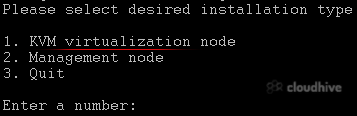
SolusVM is a popular VPS hosting control panel. SolusVM 1 Slave should be installed on a dedicated server.. What are the requirements? - Fresh AlmaLinux 8, CentOS Stream 8, or CentOS 7 installed on your VPS/Server. How to install SolusVM 1 Slave? Step 1: Log in to SSH as a root account. For AlmaL...