
 cPanel
How to Change an FTP Account Password in Plesk
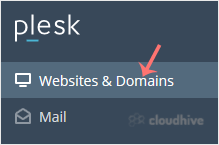
To change the main root FTP account, you have to change the password of your Plesk account. However, if you need to change the password of a specific FTP account, follow this instruction. 1. Log in to your Plesk account. 2. Click on Websites & Domains from the Sidebar Menu. 3. Under the list ...
cPanel
How to Create an FTP Account in Plesk
You can access the FTP account using the Plesk login details, which gives you full access to the home directory. However, if you want to create an FTP user account for a specific directory, you can create a separate FTP account. 1. Log in to your Plesk account. 2. Click on Websites & Domains ...
 cPanel
How to Rename an Email Address in Plesk
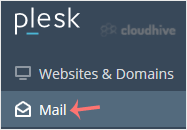
In this tutorial, you will learn how to rename an email address in Plesk. This is helpful when you want to update the email name without deleting the account. 1. Log in to your Plesk account. 2. Click on Mail from the Sidebar Menu. 3. From the email list, click on the email account you want to re...
cPanel
How to Change Email Account Password in Plesk
You can change your email password in Plesk through the following steps: 1. Log in to your Plesk account. 2. Click on Mail from the Sidebar Menu. 3. Under the email list, click the email account whose password you want to change. 4. In the Password field, enter a password or click on Generate to ...
 cPanel
How to Access Email from Plesk Webmail
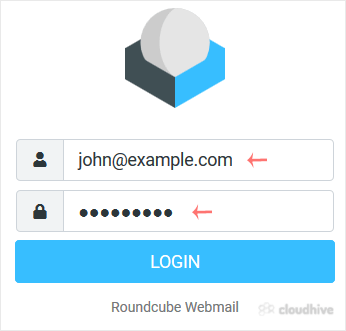
You can access your Email directly from Webmail. Open https://webmail.example.com, and replace example.com with your domain name. Enter your full email address and password. Then click on Login. After successful login, you can manage emails.
cPanel
How to Create an Email Account in Plesk
Follow this tutorial to create an email account in Plesk. 1. Log in to your Plesk account. 2. Click on Mail from the Sidebar Menu. 3. Click on Create Email Address. 4. Under the General tab, fill up the following details: Email Address: Enter an email, and should you have multiple domains, choose...
cPanel
How to Remove a Subdomain Redirect in Plesk
In this tutorial, you will learn how to remove a subdomain redirect in Plesk. This is useful when you no longer want the subdomain to forward to an external website. 1. Log in to your Plesk account. 2. Click on Websites & Domains from the Sidebar Menu. 3. Under the list of Domain names, click...
cPanel
How to Redirect a Subdomain to an External URL in Plesk
Learn how to set up a subdomain redirect in Plesk. This method works for pointing subdomains to external sites. 1. Log in to your Plesk account. 2. Click on Websites & Domains from the Sidebar Menu. 3. Under the list of Domain names, click on the Hosting Settings icon appearing in the same ro...
cPanel
How to Remove a Subdomain in Plesk
A subdomain is an additional part of your primary domain. Please, follow this tutorial to remove a subdomain in Plesk. 1. Log in to your Plesk account. 2. Click on Websites & Domains from the Sidebar Menu. 3. Under the list of Domain names, click on the More icon in front of the subdomain and...
cPanel
How to Add a Subdomain in Plesk
In this tutorial, you will learn how to add a subdomain in Plesk. Subdomains help you create different parts of your website, like blog.example.com. 1. Log in to your Plesk account. 2. Click on Websites & Domains from the Sidebar Menu. 3. Click on Add Subdomain. 4. Enter a subdomain name and ...
cPanel
How to Remove a Domain in Plesk
You can remove a domain in Plesk by following this tutorial. 1. Log in to your Plesk account. 2. Click on Websites & Domains from the Sidebar Menu. 3. Under the list of domains, click on the More icon in front of the domain and select Remove website. 4. Confirm with Yes to remove the domain. ...
cPanel
How to Add a New Domain in Plesk
Follow this tutorial to add a new domain to your Plesk account. 1. Log in to your Plesk account. 2. Click on Websites & Domains from the Sidebar Menu. 3. Click on Add Domain. 4. Please, choose Blank Website as an option. 5. In Adding New Domain, enter the following details: Domain name: Enter...