
 cPanel
How to Increase PHP's post_max_size Value Using CloudLinux's Selector in Plesk
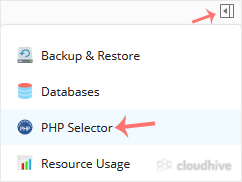
You can modify PHP post_max_size as per your needs using CloudLinux PHP Selector in Plesk. 1. Log in to your Plesk account. 2. Click on the Pull icon in the right sidebar and choose PHP Selector. 3. Click on the Options menu. Note: If the Options page shows an error related to the native PHP vers...
cPanel
How to Increase PHP's upload_max_filesize Value Using CloudLinux Selector in Plesk
You can modify PHP's upload_max_filesize as per your needs using CloudLinux's PHP Selector in Plesk. 1. Log in to your Plesk account. 2. Click on the Pull icon in the right sidebar and choose PHP Selector. 3. Click on the Options menu. Note: If the Options page shows an error related to the nativ...
cPanel
How to Increase or Decrease PHP Memory Limit via CloudLinux Selector in Plesk
You can modify PHP Memory Limit as per your needs using CloudLinux PHP Selector in Plesk. 1. Log in to your Plesk account. 2. In the right-hand sidebar, click on PHP Selector. 3. Click on the Options menu. Note: If the Options page shows an error related to the native PHP version, change it to a ...
cPanel
How to Enable or Disable PHP's display_errors via CloudLinux Selector in Plesk
Sometimes, we need to debug PHP. Hence, we need to enable display_errors or disable them for security reasons. You can do this using the CloudLinux Selector to enable or disable PHP's display_errors in Plesk. 1. Log in to your Plesk account. 2. Click on the Pull icon in the right sidebar and choo...
cPanel
How to Enable or Disable PHP's allow_url_fopen Using CloudLinux Selector in Plesk
You can use CloudLinux Selector to enable or disable the allow_url_fopen directive in Plesk. 1. Log in to your Plesk account. 2. Click on the Pull icon in the right sidebar and choose PHP Selector. 3. Click on the Options menu. Note: If the Options page shows an error related to the native PHP ve...
cPanel
How to Enable or Disable PHP Extensions Using the CloudLinux Selector in Plesk
You can use CloudLinux Selector to enable or disable available PHP extensions in Plesk. 1. Log in to your Plesk account. 2. Click on the Pull icon in the right sidebar and choose PHP Selector. 3. Click on the Extensions menu. Note: If the Extensions page shows an error related to the native PHP v...
cPanel
How to Enable the Mailparse Extension of PHP Using CloudLinux Selector in Plesk
You can use CloudLinux Selector to enable the Mailparse extension in PHP via Plesk. 1. Log in to your Plesk account. 2. In the right-hand sidebar, click on PHP Selector. 3. Click on the Extensions menu. Note: If the Extensions page shows an error related to the native PHP version, change it to a ...
cPanel
How to Enable the GD Extension of PHP Using CloudLinux Selector in Plesk
You can use CloudLinux Selector to enable GD extension in PHP via Plesk. 1. Log in to your Plesk account. 2. Click on the Pull icon in the right sidebar and choose PHP Selector. 3. Click on the Extensions menu. Note: If the Extensions page shows an error related to the native PHP version, change ...
cPanel
How to Enable ionCube Loader Using CloudLinux Selector in Plesk
You can use CloudLinux Selector to enable ionCube Loader in Plesk. 1. Log in to your Plesk account. 2. Click on the Pull icon in the right sidebar and choose PHP Selector. 3. Click on the Extensions menu. Note: If the Extensions page shows an error related to the native PHP version, change it to ...
cPanel
How to Change the PHP Version via CloudLinux Selector in Plesk
You can use CloudLinux's Select PHP Version to change your website's PHP Version. CloudLinux provides various PHP Versions to choose from. 1. Log in to your Plesk account. 2. Click on the Pull icon in the right sidebar and choose PHP Selector. 3. To the right side of the Current PHP version, clic...
 cPanel
How to Remove an FTP Account in Plesk
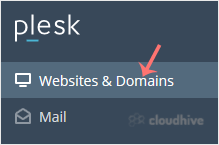
If you have created too many FTP User accounts and some have not been used, and you want to remove certain accounts, you can accomplish it by following this tutorial. 1. Log in to your Plesk account. 2. Click on Websites & Domains from the Sidebar Menu. 3. Under the list of Domain names, clic...
cPanel
How to Rename an FTP Username in Plesk
You can rename an FTP username in Plesk without deleting or making a new account. 1. Log in to your Plesk account. 2. Click on Websites & Domains from the Sidebar Menu. 3. Under the list of Domain names, click on the appropriate domain name. 4. From the Dashboard, under the Files & Databa...