
 cPanel
How to Send an Email via Android
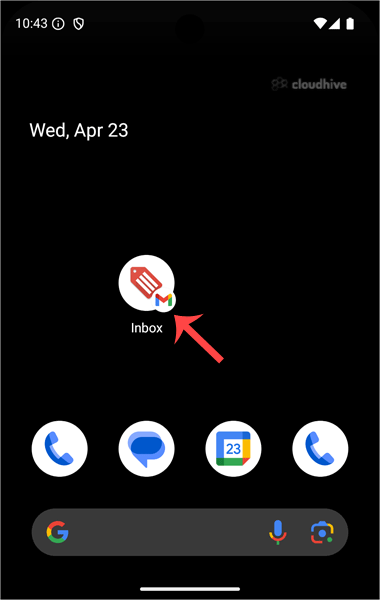
We hope you have already read our tutorial on How to Set Up a cPanel Email Account in Android, and you have already added a built-in email widget to your Android screen. cPanel allows you to send email using various IMAP/POP/SMTP technologies. 1. Open your Email inbox or Gmail Application. 2. In ...
cPanel
How to Fetch - Sync Emails in Android
We hope you have already read our tutorial on How to Set Up a cPanel Email Account in Android, and you have already added a built-in email widget to your Android screen. 1. Press on Inbox. 2. Pull down from the top of the screen until the little refresh wheel start spinning. It will start syncing...
cPanel
How to Delete cPanel Emails in Android
We hope you have already read our tutorial on How to Set Up a cPanel Email Account in Android, and you have already added a built-in email widget to your Android screen. 1. Tap on Email inbox. 2. Tap and hold for a few seconds on the email you want to delete.3. Now click the Delete icon displayed...
 cPanel
How to Read cPanel Emails in Android
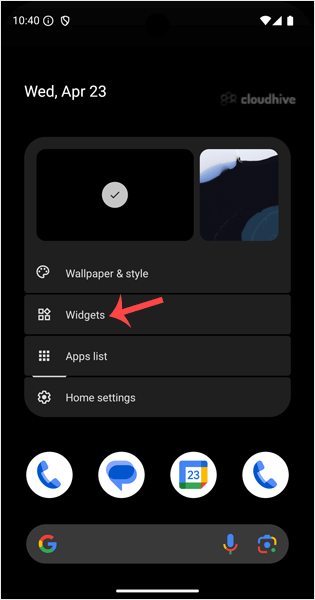
Suppose you have already added your cPanel email accounts to your Android built-in email application. In that case, you can also add a widget to your Android screen to easily read your cPanel emails by just opening a widget. 1. Open your Android mobile. Tap on an empty area of your home screen fo...
 cPanel
How to Set Up a cPanel Email Account in Android
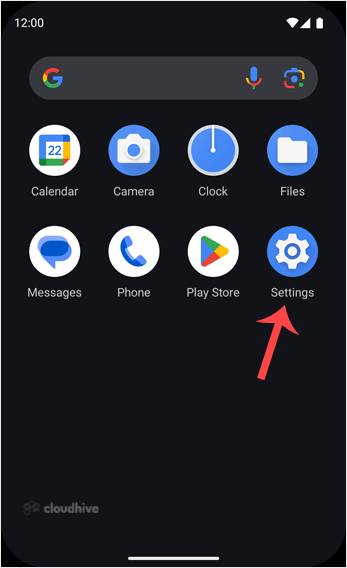
You can add a cPanel email account to your Android's built-in email application. You don't need to use any external apps from Google Play. 1. Open your Android mobile and swipe up from the bottom of the screen to the top. Find the Settings icon and open it. 2. Scroll down to the Passwords, passke...
 cPanel
How to Change the Signature of an Apple/iOS (Sent From My iPhone)
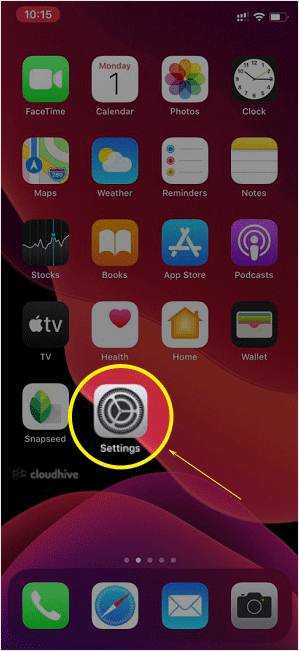
If you send an email via iOS, a signature will be automatically added in your reply, such as Sent from my iPhone. But do you know that you can customize this signature as well? 1. Open the main screen of your Apple Mobile and click on the Settings icon. 2. Scroll down and tap on Mail. 3. Now tap ...
cPanel
How to Automatically Sync or Fetch a cPanel email on Apple/iOS
You can set your email for automatic syncing. It means that if you receive new mail in your cPanel email account, it would be fetched/synced with your Apple/iOS mobile automatically. 1. Open the main screen of your Apple Mobile and click on the Settings Icon. 2. Scroll down and tap on Passwords &...
 cPanel
How to Check/Fetch an Email on Apple/iOS
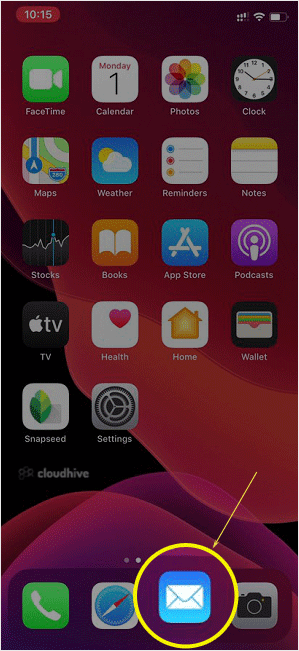
You can set your email for automatic syncing. However, should you want to check for new emails manually, you must go through this tutorial. Before checking for new email, you must make sure that you have already added your email account on your device. Otherwise, examine our tutorial on How to ad...
cPanel
How to Add a cPanel Email Account on Apple/iOS
You can add a cPanel email account to your Apple IOS mobile and be able to automatically check emails in a specific time or manually do it. You can get a new email notification on your mobile.1. Open the main screen of your Apple Mobile and click on the Settings icon. 2. Scroll down and tap on Pa...
 cPanel
How to Repair a Database via phpMyAdmin in cPanel
If your database has corrupted tables, repairing it through phpMyAdmin in cPanel can help fix issues with them. 1. Log in to your cPanel account.2. In the Databases section, click on phpMyAdmin.3. Click the Expand icon from the navigation tree in the left sidebar. 4. Scroll down and mark Check Al...
cPanel
How to Optimize a Database via phpMyAdmin in cPanel
Optimizing your database in cPanel using phpMyAdmin boosts performance by freeing up unused space. 1. Log in to your cPanel account.2. In the Databases section, click on phpMyAdmin. 3. Click on the Expand icon from the navigation tree in the left sidebar. 4. Scroll down and mark Check All. Click ...
cPanel
How to Delete a Database Table via phpMyAdmin in cPanel
Deleting a database table in cPanel using phpMyAdmin is easy but important. Be careful to avoid losing data by mistake. 1. Log in to your cPanel account.2. In the Databases section, click on phpMyAdmin. 3. Click on the Expand icon from the navigation tree in the left sidebar. 4. Select the approp...