
How to Check/Fetch an Email on Apple/iOS

SShaltai-Boltai April 26, 2026 2 min read 0 views
How to Check/Fetch an Email on Apple/iOS

You can set your email for automatic syncing. However, should you want to check for new emails manually, you must go through this tutorial. Before checking for new email, you must make sure that you have already added your email account on your device. Otherwise, examine our tutorial on How to add an email account on iPhone/iOS.


1.
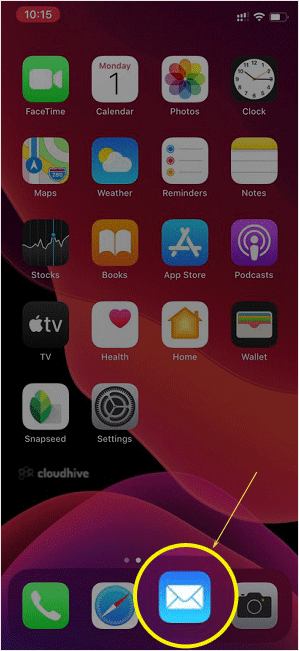
Open the main screen of your Apple Mobile and click on the Mail icon.


2.
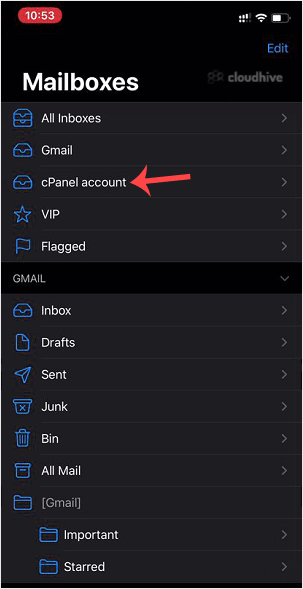
Under Mailboxes, tap on your email account.


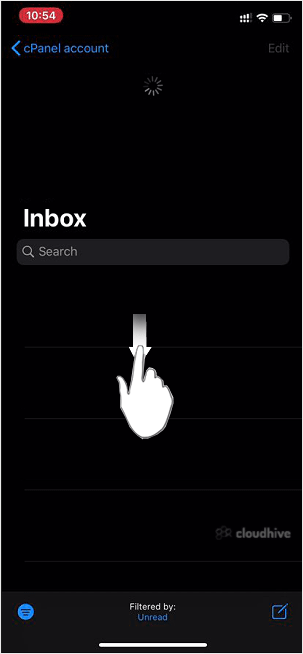
3. If it automatically starts syncing, you will need to wait for a few seconds. Otherwise, tap and hold on screen from the top of the inbox, pull down, and then release. It will start checking for new emails.


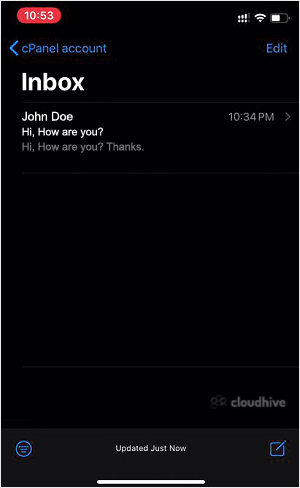
4. Congratulations. You learned how to check emails manually. If you receive a new email, it will display on the screen. If you don't have new email messages, you will see an empty box.

Note: If you want to automatically sync messages every 15 to 30 minutes or do it manually yourself, we suggest that you go through our Automatically sync/fetch email tutorial.

//RELATED ARTICLESALL ARTICLES →
April 26, 2026 2 min read 0

How to Forcefully or Gracefully Shut Down the VPS in SolusVM 2

You can shut down the VPS in two ways - forcefully or gracefully in SolusVM 2. How to Gracefully shut down the VPS in SolusVM 2? 1. Log in to your SolusVM 2 Control Panel. 2. Under Projects, click on the project that contains your VPS. 3. Click on the appropriate VPS. 4. Click on Stop.5. Click Ye...

SShaltai-Boltai Read more
April 26, 2026 2 min read 0

How to Reboot/Restart VPS in SolusVM 2

You can restart VPS via the command line or SolusVM 2. How to Reboot/Restart a VPS via SolusVM 2? 1. Log in to your SolusVM 2 Control Panel. 2. Under Projects, click on the project that contains your VPS. 3. Click on the appropriate VPS. 4. Click on Restart located at the top right side.5. Choose...

SShaltai-Boltai Read more
April 26, 2026 2 min read 0

How to Check if Your VPS is Online or Offline in SolusVM 2

You can check the status of your SolusVM Virtual Private Server (VPS) to see if it is online or offline. You can find out VPS status from the client area or from the SolusVM 2 Control Panel.1. Log in to your SolusVM 2 Control Panel. 2. Under Projects, click on the project that contains your VPS. ...

SShaltai-Boltai Read more
April 26, 2026 2 min read 0

How to Log in to SolusVM 2 Control Panel

You can find the Control Panel URL, username (email address), and password in your VPS welcome email. SolusVM 2 login details example: Control Panel URL: https://server-hostname/login or use the IP address.Username: Your email address.Password: Your password. How to log in to SolusVM 2 Control Pa...

SShaltai-Boltai Read more