
cPanel

How to Check if Your VPS is Online or Offline in SolusVM 2

You can check the status of your SolusVM Virtual Private Server (VPS) to see if it is online or offline. You can find out VPS status from the client area or from the SolusVM 2 Control Panel.


1. Log in to your SolusVM 2 Control Panel.

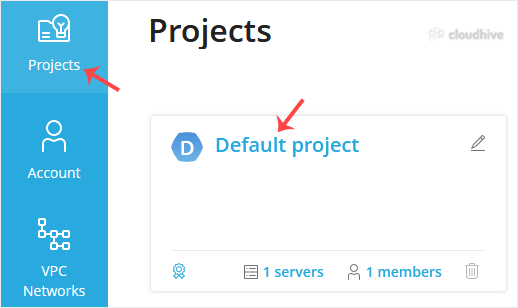
2. Under Projects, click on the project that contains your VPS.

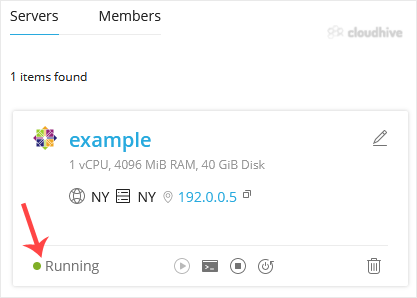
3. Under the servers tab, you can see the status of your VPS. If it is online then status should be Running.
Now you know how to check your VPS status in SolusVM 2.

Share: Twitter LinkedIn WhatsApp

Expert Knowledge

Articles written by certified WHMCS developers and hosting professionals.

Regularly Updated

Fresh content published regularly to keep you up to date with the latest.

Community Focused

Content built around real questions and challenges from our community.

Actionable Tips

Every article includes step-by-step guides you can apply immediately.