
 cPanel
How to Change the Login Theme of cPanel/WHM/Webmail From WHM Root
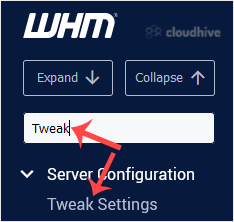
You can change the default login theme for users, which displays when they log in to cPanel, WHM, and WebMail.1. Log in to your WHM Root Account. 2. Go to Server Configuration >> Tweak Settings or type Tweak in the menu filter box. The option will appear. Click on it. 3. Under Tweak Setting...
 Tutorial
How to Check or Change Server Time via WHM Root
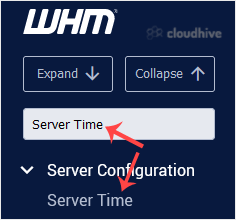
If you want to change the server time, you can easily do it from WHM Host Manager. 1. Log in to your WHM Root Account. 2. Go to Server Configuration >> Server Time or type Server Time in the menu filter box. The option will appear. Click on it. 3. You can check the already configured time u...
 Security
How to Change the Password of the WHM Root Account in WHM
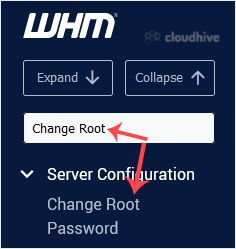
You can change the root user account password from WHM. 1. Log in to your WHM Root Account. 2. Go to Server Configuration >> Change Root Password or type Change Root in the menu filter box. The option will appear. Click on it. 3. Enter your new password or use the password generator option ...
 Tutorial
How to Change the Default Nameservers in the WHM Root
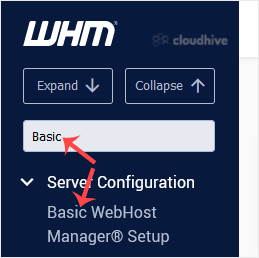
You can change the default nameservers in your WHM Root Account. Note: Root access is required. You cannot change the root accounts default nameservers with a normal WHM Reseller account.1. Log in to your WHM Root Account. 2. Go to Server Configuration >> Basic WebHost Manager Setup or type...
 cPanel
How to Unsuspend cPanel User From WHM Account
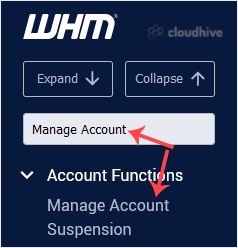
You can unsuspend cPanel accounts from WHM. Follow this tutorial to unsuspend your cPanel user. 1. Log in to your WHM Account. 2. Go to Account Functions >> Manage Account Suspension or type Manage Account in the menu filter box. The option will appear. Click on it. 3. Select the suspended ...
cPanel
How to Suspend a cPanel User in the WHM Account
You can suspend cPanel user from accessing your WHM account. 1. Log in to your WHM Account. 2. Go to Account Functions >> Manage Account Suspension or type Manage Account in the menu filter box. The option will appear. Click on it. 3. Select the user or domain you wish to suspend, and click...
 cPanel
How to Limit Bandwidth Usage of cPanel User From WHM
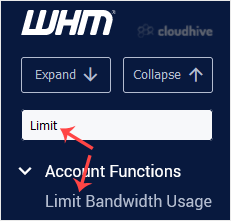
Do you want to increase or limit cPanel user's bandwidth usage? A WHM user can modify the bandwidth of a cPanel account, and a root user can modify WHM and cPanel users. 1. Log in to your WHM Account. 2. Go to Account Functions >> Limit Bandwidth Usage or type Limit in the menu filter box. ...
 cPanel
How to Force cPanel Users to Change Their Passwords Using WHM
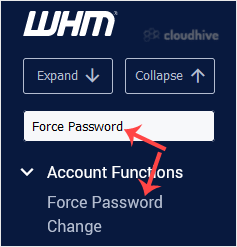
Do you want to force cPanel users to change their passwords after login? If so, follow this tutorial. 1. Log in to your WHM Account. 2. Go to Account Functions >> Force Password Change or type Force Password in the menu filter box. The option will appear. Click on it. 3. Under Force Passwor...
 cPanel
How to Create a New Account in WHM
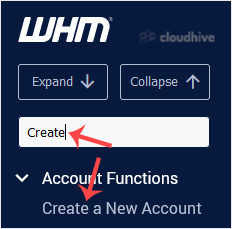
To create a cPanel account, you need to create at least one hosting package. In WHM, you can easily create hosting packages. 1. Log in to your WHM Account. 2. Go to Account Functions >> Create a New Account or type Create in the menu filter box. The option will appear. Click on it. 3. Enter...
 Tutorial
How to Remove a Feature List from WHM
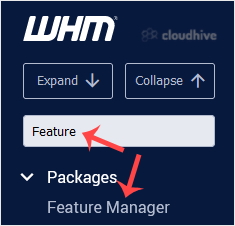
Follow this tutorial if you have a feature list you don't need and want it removed. 1. Log in to your WHM Account. 2. Go to Packages >> Feature Manager or type Feature Manager in the menu filter box. The option will appear. Click on it. 3. Under Manage feature list, choose the feature list ...
cPanel
How to Enable/Disable Features of cPanel Account From WHM
You can enable/disable features of your customers' cPanel account from WHM. Follow this tutorial if you do not want to provide access to PHP Setting, SSL, or anything else.1. Log in to your WHM Account. 2. Go to Packages >> Feature Manager or type Feature Manager in the menu filter box. The...
Tutorial
How to Create a Feature List in WHM
You can create a feature list from your WHM Account. Feature lists allow you to provide a customized plan with specific features only.1. Log in to your WHM Account. 2. Go to Packages >> Feature Manager or type Feature Manager in the menu filter box. The option will appear. Click on it. 3. I...