
You can change the default login theme for users, which displays when they log in to cPanel, WHM, and WebMail.
1. Log in to your WHM Root Account.
2. Go to Server Configuration >> Tweak Settings or type Tweak in the menu filter box. The option will appear. Click on it.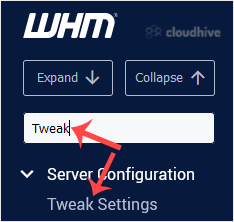
3. Under Tweak Settings, click on the Display tab. Find the Default Login Theme option and select the theme of your choice.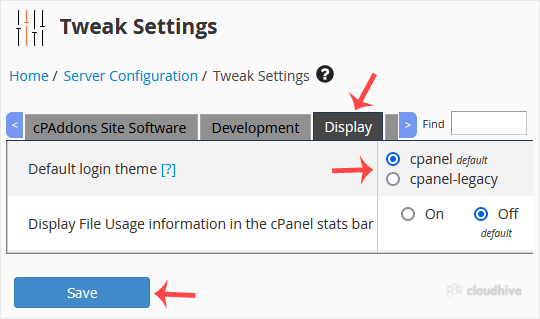
4. Scroll down to the end of the page and click on Save.
The new login theme will be applied successfully. You can verify it by visiting your cPanel, WHM, or Webmail login page.