
 cPanel
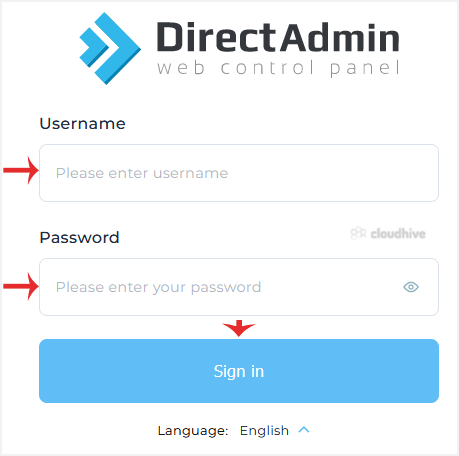
How to Log in to DirectAdmin
After you place an order and make a successful payment, you will receive a welcome email containing login details. DirectAdmin Permanent Login URL: https://$hostname.tld:2222 (SSL Protected).http://$hostname.tld:2222 (Non-SSL - Insecure). Log in using the following IP Address: https://$ip-here:22...
 cPanel
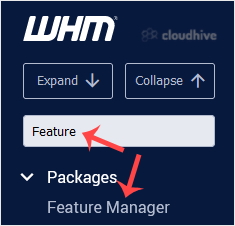
How to Disable Features in WHM Root to Prevent User Overrides
Root Access is Required. You cannot access it through the WHM Reseller Account. Do you want to disable the cPanel account features that cannot be overridden by another feature list so that your client/reseller won't be able to enable them?1. Log in to your WHM Account. 2. Go to Packages >> ...
 cPanel
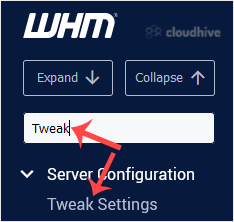
How to Change the Login Theme of cPanel/WHM/Webmail From WHM Root
You can change the default login theme for users, which displays when they log in to cPanel, WHM, and WebMail.1. Log in to your WHM Root Account. 2. Go to Server Configuration >> Tweak Settings or type Tweak in the menu filter box. The option will appear. Click on it. 3. Under Tweak Setting...
 cPanel
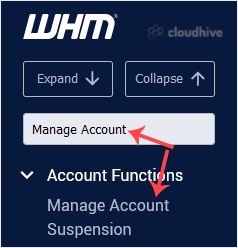
How to Unsuspend cPanel User From WHM Account
You can unsuspend cPanel accounts from WHM. Follow this tutorial to unsuspend your cPanel user. 1. Log in to your WHM Account. 2. Go to Account Functions >> Manage Account Suspension or type Manage Account in the menu filter box. The option will appear. Click on it. 3. Select the suspended ...
cPanel
How to Suspend a cPanel User in the WHM Account
You can suspend cPanel user from accessing your WHM account. 1. Log in to your WHM Account. 2. Go to Account Functions >> Manage Account Suspension or type Manage Account in the menu filter box. The option will appear. Click on it. 3. Select the user or domain you wish to suspend, and click...
 cPanel
How to Limit Bandwidth Usage of cPanel User From WHM
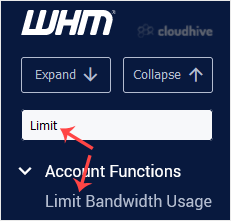
Do you want to increase or limit cPanel user's bandwidth usage? A WHM user can modify the bandwidth of a cPanel account, and a root user can modify WHM and cPanel users. 1. Log in to your WHM Account. 2. Go to Account Functions >> Limit Bandwidth Usage or type Limit in the menu filter box. ...
 cPanel
How to Force cPanel Users to Change Their Passwords Using WHM
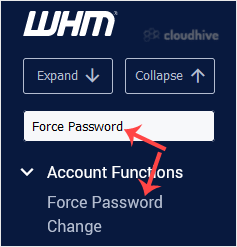
Do you want to force cPanel users to change their passwords after login? If so, follow this tutorial. 1. Log in to your WHM Account. 2. Go to Account Functions >> Force Password Change or type Force Password in the menu filter box. The option will appear. Click on it. 3. Under Force Passwor...
 cPanel
How to Create a New Account in WHM
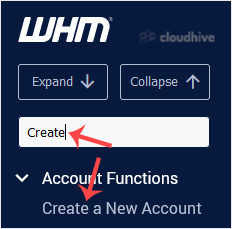
To create a cPanel account, you need to create at least one hosting package. In WHM, you can easily create hosting packages. 1. Log in to your WHM Account. 2. Go to Account Functions >> Create a New Account or type Create in the menu filter box. The option will appear. Click on it. 3. Enter...
cPanel
How to Enable/Disable Features of cPanel Account From WHM
You can enable/disable features of your customers' cPanel account from WHM. Follow this tutorial if you do not want to provide access to PHP Setting, SSL, or anything else.1. Log in to your WHM Account. 2. Go to Packages >> Feature Manager or type Feature Manager in the menu filter box. The...
 cPanel
How to Create/Add a Package in the WHM
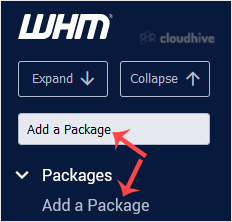
You can create predefined packages in the WHM for automation or another purpose.1. Log in to your WHM Account. 2. Go to Packages >> Add a Package or type Add a Package in the menu filter box. The option will appear. Click on it. 3. Enter the package name and change the resources according t...
 cPanel
How to Set Custom/Private Nameservers in WHM
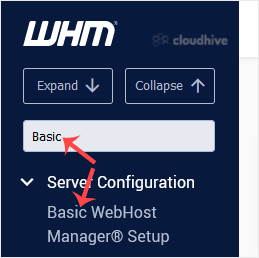
You can set up custom/private nameservers from WHM. 1. Log in to WHM Account. 2. Go to Server Configuration >> Basic WebHost Manager Setup or type Basic in the menu filter box. The option will appear. Click on it. 3. Under Nameservers, select Explicitly Set the Nameservers. Enter or change ...
 cPanel
How to Access the Web Host Manager or WHM
WHM or Web Host Manager is a reseller end control pane. It allows you to have administrator access to the backend of cPanel. After you place an order and make a successful payment, you will receive a welcome email with login details. You can access the WHM from an IP address or hostname you recei...