
Root Access is Required. You cannot access it through the WHM Reseller Account.
Do you want to disable the cPanel account features that cannot be overridden by another feature list so that your client/reseller won't be able to enable them?
1. Log in to your WHM Account.
2. Go to Packages >> Feature Manager or type Feature Manager in the menu filter box. The option will appear. Click on it.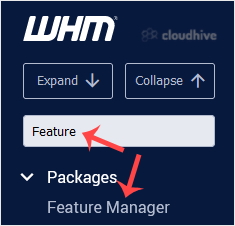
3. Under the Manage feature list, select the Disabled option from the drop-down menu.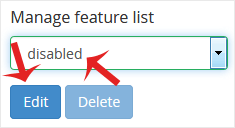
4. To disable any feature, check the options you want to disable. After that, click on Save.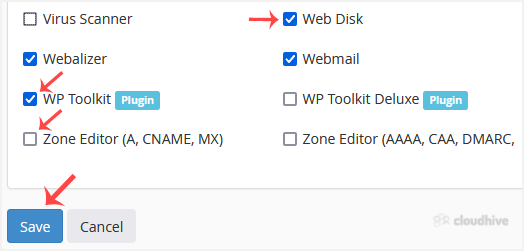
The features you selected to disable cannot be enabled or overridden by other feature lists or WHM users.