
 cPanel
How to Change the Password of the FTP Account in cPanel
To change the main root FTP account, you have to change the password of your cPanel account. However, if you need to change the password of a specific FTP account, follow this instruction. 1. Log in to your cPanel account. 2. In the Files section, click on FTP Accounts.3. Under the list of FTP ac...
cPanel
How to Create an FTP Account in cPanel
You can access the FTP account using the cPanel login details, which gives you full access to the home directory. However, if you want to create an FTP user account for a specific directory, you can create a separate FTP account. 1. Log in to your cPanel account. 2. In the Files section, click on...
 cPanel
How to Create an Email Autoresponder When You Are on Vacation
If you are on holiday or you will be unavailable for a few days or a month, you can create an auto email responder for your emails. When people email you, they will receive an automated email with your message. 1. Log in to your cPanel account. 2. In the Email section, click on Autoresponders. 3....
 cPanel
How to Forward an Email to Gmail or Other Email Service Providers
Want to keep all your emails in one place? Forwarding helps you stay organized and never miss a message. How to forward an email? 1. Log in to your cPanel account. 2. In the Email section, click on Forwarders and then click on Add Forwarder.3. Enter the following details: Address to Forward: Ente...
 cPanel
How to Access Email from cPanel Webmail
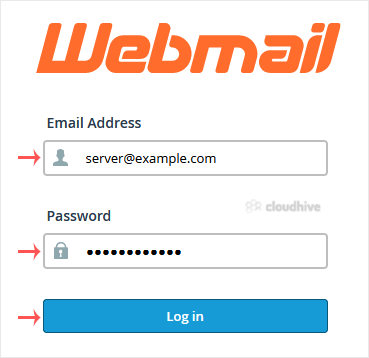
You can access your Email account directly from Webmail.1. Open http://example.com/webmail, replace example.com with your domain name, enter your full email address and password in user login details, and click on Login.2. From the cPanel's Webmail Page, click on any Webmail email reader such as ...
 cPanel
How to Change an Email Account's Password in cPanel
You can change your email account's password through the following steps: 1. Log in to your cPanel account. 2. In the Email section, click on Email Accounts. 3. Under the Account @ domain section. You should see the email account listed there. 4. If your email address is server@example.com, click...
cPanel
How to Create an Email Account in cPanel
To create a new email address, perform the following steps: 1. Log in to your cPanel account. 2. In the Email section, click on Email Account. 3. Click on +Create. You can find this on the right-hand side. 4. Under Create An Email Account, fill up the following details: Domain: Select the appropr...
 cPanel
How to Remove a Domain Redirect in cPanel
If a domain redirect is no longer needed, you can easily remove it in cPanel. This ensures visitors access the original website instead of being redirected elsewhere. 1. Log in to your cPanel account. 2. In the Domains section, click on Redirects.3. Scroll down to the end of the page. Under Curre...
cPanel
How to Redirect Your Website to Any Page or External Domain
Redirecting your website helps send visitors to another page or an external site. If you need to move your site or update links, follow the steps below to set up a redirect to an external website. 1. Log in to your cPanel account. 2. In the Domains section, click on Redirects.3. Under Add Redirec...
cPanel
How to Redirect a Subdomain to an External URL
Redirecting a subdomain to an external URL is useful when you want visitors to be automatically sent to another website. In cPanel, you can set up a redirection in just a few steps. 1. Log in to your cPanel account. 2. In the Domains section, click on Redirects. 3. Under Add Redirect, you should ...
 cPanel
How to Remove a Subdomain in cPanel
A subdomain is an additional part of your primary domain. Please, follow this tutorial to remove a subdomain in cPanel. 1. Log in to your cPanel account. 2. In the Domains section, click on Domains. 3. Locate the Subdomain you want to remove and click Manage next to it. 4. Scroll down, click on R...
cPanel
How to Create a Subdomain in cPanel
A subdomain is an additional part of your primary domain. For example, blog.example.com is a subdomain. Please, follow this tutorial to create a subdomain in cPanel. 1. Log in to your cPanel account. 2. In the Domains section, click on Domains. 3. Click on Create A New Domain. 4. Under the Create...