
Redirecting a subdomain to an external URL is useful when you want visitors to be automatically sent to another website. In cPanel, you can set up a redirection in just a few steps.
1. Log in to your cPanel account.
2. In the Domains section, click on Redirects.
3. Under Add Redirect, you should enter the following details and choose the appropriate options.
- Type: Choose Permanent (301) or Temporary (302).
- https?://(www.)?: Choose the Subdomain to redirect. You can also redirect a specific page.
- Redirects to: Points to where you want to redirect your current subdomain.
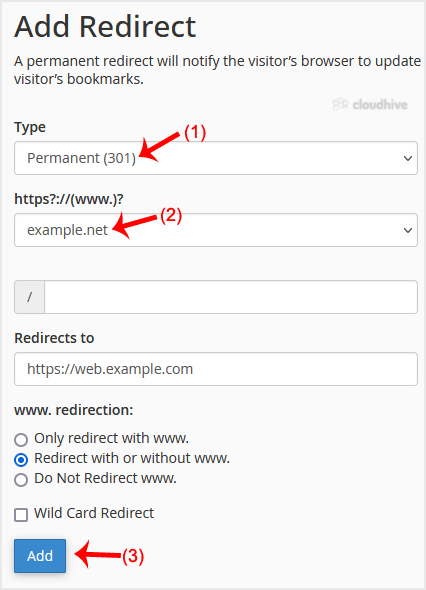
4. Click on Add.
Congratulations! You have successfully created a redirect for your subdomain.