
How to Update the DNS Nameservers at 123-Reg

SShaltai-Boltai April 26, 2026 2 min read 0 views
How to Update the DNS Nameservers at 123-Reg

You can find our nameservers in your hosting welcome email. You need to update your domain nameservers to our nameservers.

If your domain is registered on 123-Reg, you should follow this tutorial to update your domain's Nameservers.


1.
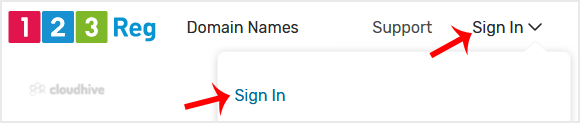
Open the 123 Reg website and click on Sign In. Then, click on "Sign-in" in the pop-up window.

2.
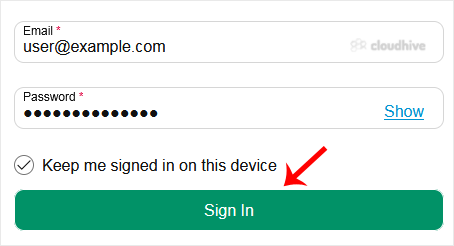
Enter the username and password of your 123-reg account and click on Sign-in.


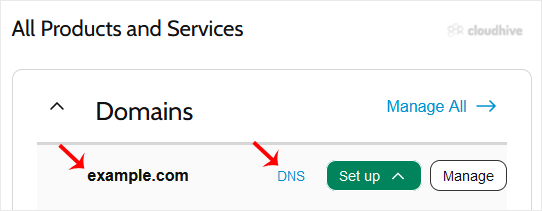
3. Under the Domains section. Click on DNS next to the domain you wish to manage.
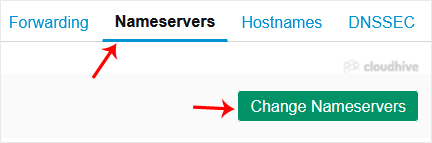
4. Click on the Nameservers tab and then on Change Nameservers.


5. Choose the "I'll use my own nameservers" option, and enter your nameservers in the designated fields.
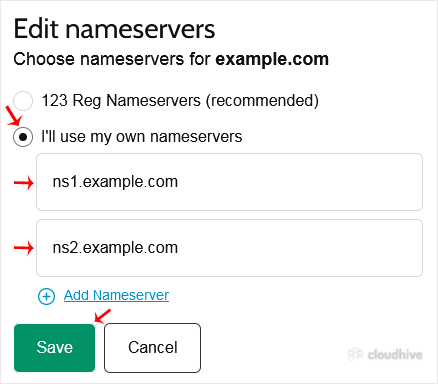

You will see a success message.


Note: It may take anywhere from 12 to 24 hours for the changes to take effect worldwide.

//RELATED ARTICLESALL ARTICLES →
April 26, 2026 2 min read 0

How to Forcefully or Gracefully Shut Down the VPS in SolusVM 2

You can shut down the VPS in two ways - forcefully or gracefully in SolusVM 2. How to Gracefully shut down the VPS in SolusVM 2? 1. Log in to your SolusVM 2 Control Panel. 2. Under Projects, click on the project that contains your VPS. 3. Click on the appropriate VPS. 4. Click on Stop.5. Click Ye...

SShaltai-Boltai Read more
April 26, 2026 2 min read 0

How to Reboot/Restart VPS in SolusVM 2

You can restart VPS via the command line or SolusVM 2. How to Reboot/Restart a VPS via SolusVM 2? 1. Log in to your SolusVM 2 Control Panel. 2. Under Projects, click on the project that contains your VPS. 3. Click on the appropriate VPS. 4. Click on Restart located at the top right side.5. Choose...

SShaltai-Boltai Read more
April 26, 2026 2 min read 0

How to Check if Your VPS is Online or Offline in SolusVM 2

You can check the status of your SolusVM Virtual Private Server (VPS) to see if it is online or offline. You can find out VPS status from the client area or from the SolusVM 2 Control Panel.1. Log in to your SolusVM 2 Control Panel. 2. Under Projects, click on the project that contains your VPS. ...

SShaltai-Boltai Read more
April 26, 2026 2 min read 0

How to Log in to SolusVM 2 Control Panel

You can find the Control Panel URL, username (email address), and password in your VPS welcome email. SolusVM 2 login details example: Control Panel URL: https://server-hostname/login or use the IP address.Username: Your email address.Password: Your password. How to log in to SolusVM 2 Control Pa...

SShaltai-Boltai Read more