
How to Set Up a cPanel Email Account With Outlook 2021

SShaltai-Boltai April 26, 2026 2 min read 0 views
How to Set Up a cPanel Email Account With Outlook 2021

You can set up a cPanel email account with Microsoft Outlook 2021 and manage your email account.

1. Open Outlook 2021.


2. Go to File > Info and click on Add Account.
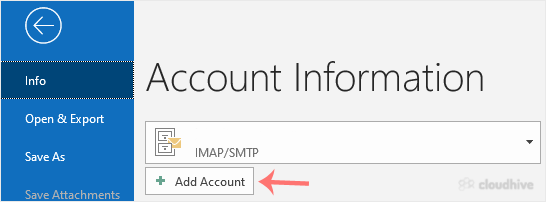
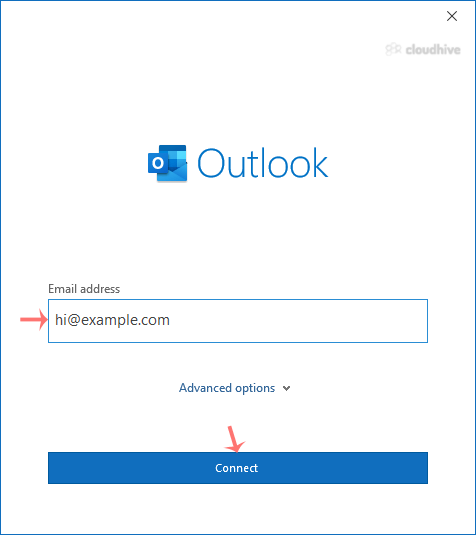
3. Enter your full email address, such as yourname@example.com, and click Connect. If you have not selected "Let me set up my account manually," then skip the 4th and 5th steps.
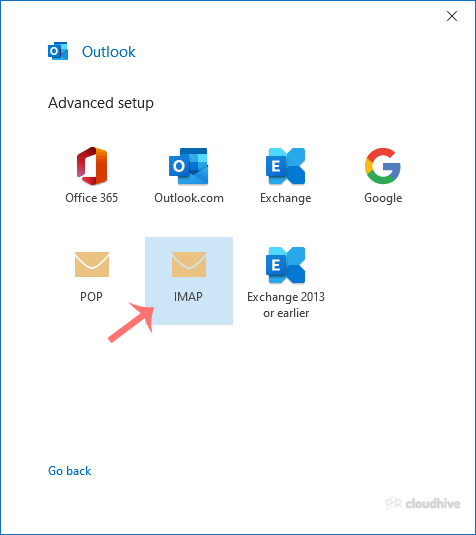
4. In Advance Setup, select IMAP.
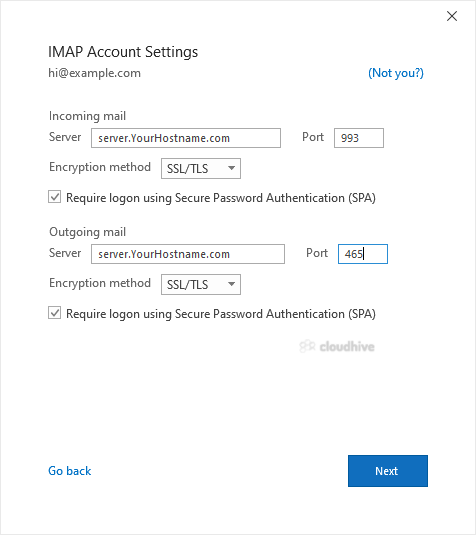
5. Enter IMAP details as provided below the screenshot but change the hostname to your server hostname and make sure that your IMAP port is correct.
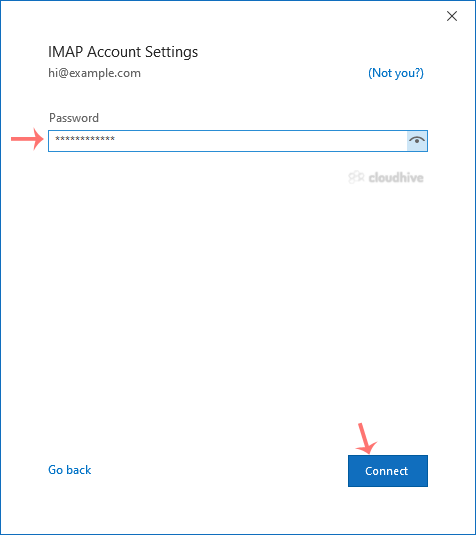
6. Enter your email password and click Connect.
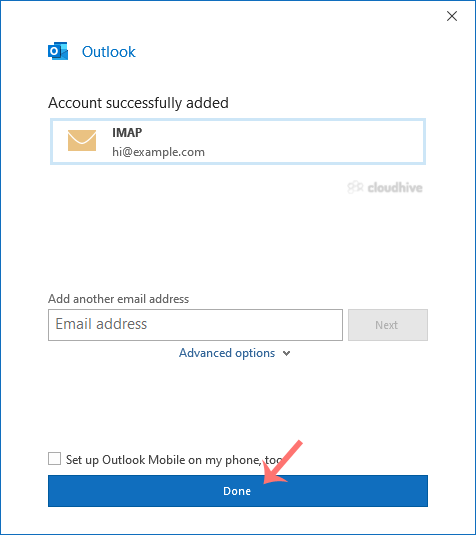
7. Finally, click on Done.
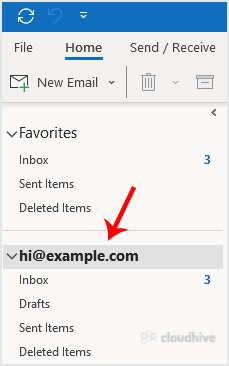
You can now manage your newly-added email from the left sidebar under the Home tab of Outlook.
Your cPanel email is now ready to use with Outlook 2021.

//RELATED ARTICLESALL ARTICLES →
April 26, 2026 2 min read 0

How to Forcefully or Gracefully Shut Down the VPS in SolusVM 2

You can shut down the VPS in two ways - forcefully or gracefully in SolusVM 2. How to Gracefully shut down the VPS in SolusVM 2? 1. Log in to your SolusVM 2 Control Panel. 2. Under Projects, click on the project that contains your VPS. 3. Click on the appropriate VPS. 4. Click on Stop.5. Click Ye...

SShaltai-Boltai Read more
April 26, 2026 2 min read 0

How to Reboot/Restart VPS in SolusVM 2

You can restart VPS via the command line or SolusVM 2. How to Reboot/Restart a VPS via SolusVM 2? 1. Log in to your SolusVM 2 Control Panel. 2. Under Projects, click on the project that contains your VPS. 3. Click on the appropriate VPS. 4. Click on Restart located at the top right side.5. Choose...

SShaltai-Boltai Read more
April 26, 2026 2 min read 0

How to Check if Your VPS is Online or Offline in SolusVM 2

You can check the status of your SolusVM Virtual Private Server (VPS) to see if it is online or offline. You can find out VPS status from the client area or from the SolusVM 2 Control Panel.1. Log in to your SolusVM 2 Control Panel. 2. Under Projects, click on the project that contains your VPS. ...

SShaltai-Boltai Read more
April 26, 2026 2 min read 0

How to Log in to SolusVM 2 Control Panel

You can find the Control Panel URL, username (email address), and password in your VPS welcome email. SolusVM 2 login details example: Control Panel URL: https://server-hostname/login or use the IP address.Username: Your email address.Password: Your password. How to log in to SolusVM 2 Control Pa...

SShaltai-Boltai Read more