
How to Restore Partial Backups in cPanel cPanel

How to Restore Partial Backups in cPanel

You can easily restore a cPanel partial backup. Please, note that restoring such a backup will overwrite your existing data.

1. Log in to your cPanel account.


2. In the Files section, click on Backup Wizard.


3. Under Backup/Restore, click on Restore.
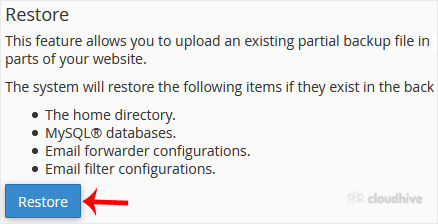


4. Under Select Restore Type, choose the appropriate option.



5. Click on Browse. Select the backup file from your computer and click on Upload.
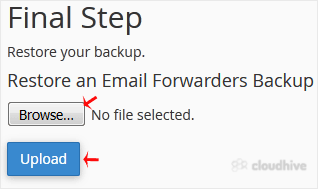
It should display a message that your restore has been successful.

Share: Twitter LinkedIn WhatsApp

Expert Knowledge

Articles written by certified WHMCS developers and hosting professionals.

Regularly Updated

Fresh content published regularly to keep you up to date with the latest.

Community Focused

Content built around real questions and challenges from our community.

Actionable Tips

Every article includes step-by-step guides you can apply immediately.