
How to Forward Email in Outlook 2021 cPanel

How to Forward Email in Outlook 2021

You can forward the email using Outlook 2021.

1. Open Outlook 2021.

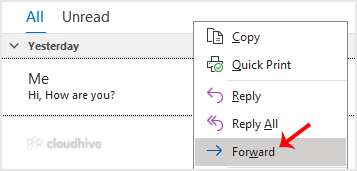
2. Go to Inbox, right-click on the message you want to forward and click on Forward.
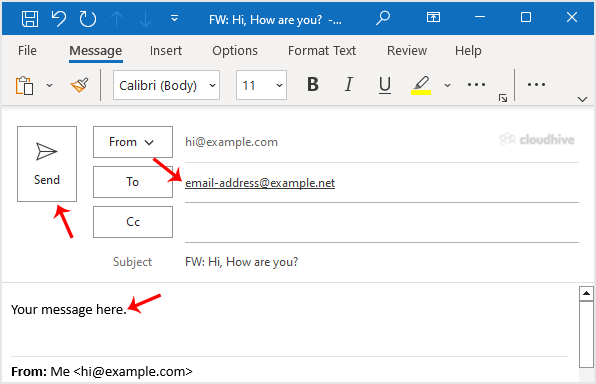
3. Enter the email address of the person you want to forward the email to in the To field. Type your message in the message box and click Send.
Hope you found this article useful.

Share: Twitter LinkedIn WhatsApp

Expert Knowledge

Articles written by certified WHMCS developers and hosting professionals.

Regularly Updated

Fresh content published regularly to keep you up to date with the latest.

Community Focused

Content built around real questions and challenges from our community.

Actionable Tips

Every article includes step-by-step guides you can apply immediately.