
How to Enable the GD Extension of PHP Using CloudLinux Selector in DirectAdmin cPanel

How to Enable the GD Extension of PHP Using CloudLinux Selector in DirectAdmin

You can use CloudLinux Selector to enable GD extension in PHP via DirectAdmin.

1. Log in to your DirectAdmin account.


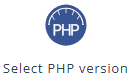
2. In the Extra Features section, click on Select PHP version or type Select PHP in the navigation filter box. The option will appear. Click on it.
3. Click on the Extensions menu.
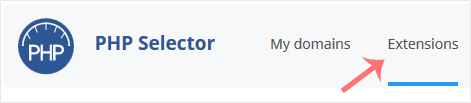
Note: If the Extensions page shows an error related to the native PHP version, change it to a non-native version first.

4. Checkmark the GD. Once enabled, it will display a success message.
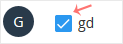
The message will read that the module GD is saved.

Share: Twitter LinkedIn WhatsApp

Expert Knowledge

Articles written by certified WHMCS developers and hosting professionals.

Regularly Updated

Fresh content published regularly to keep you up to date with the latest.

Community Focused

Content built around real questions and challenges from our community.

Actionable Tips

Every article includes step-by-step guides you can apply immediately.