
You can edit or remove CNAME Record from cPanel using the cPanel's DNS Zone Editor. It allows you to manage, remove, or modify DNS records.
1. Log in to your cPanel account.
2. In the Domains section, click on Zone Editor.

3. Under Domains, you can see many options below Actions.
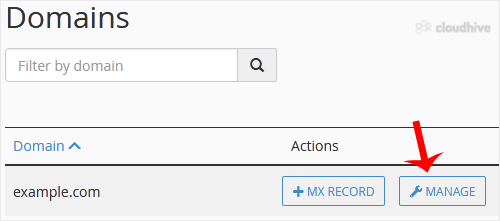
4. Click on Manage.
5. Locate the CNAME Record you want to edit or remove. Should you wish to edit a CNAME record, click on Edit. Modify the details, and click on Save Record. Removing a record can be done with Delete option.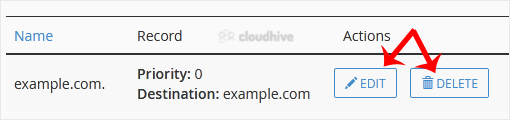
Note: It may take anywhere from 12 to 24 hours for the changes to take effect worldwide.