
You can access the FTP account using the DirectAdmin login details, which gives you full access to the home directory. However, if you want to create an FTP user account for a specific directory, you can create a separate FTP account.
1. Log in to your DirectAdmin Account.
2. In the Account Manager section, click on FTP Management. Alternatively, type FTP Management in the search bar, and the option will appear. Click on it.
3. Click on Create FTP Account. You will find it on the top right.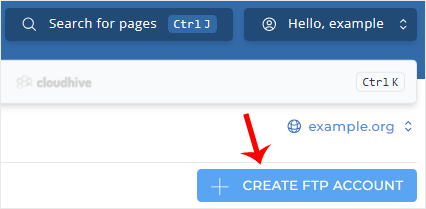
4. Enter the FTP Username such as firstuser, and a password. After that, choose the Domain option or any other option you want.
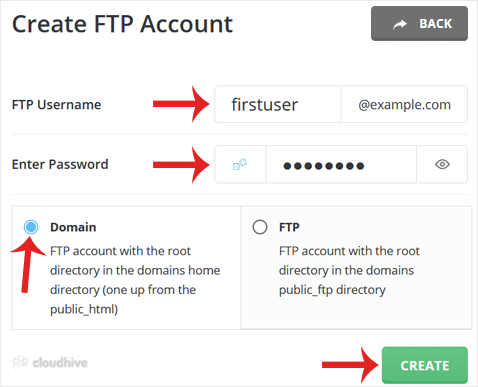
7. Click on Create.
Your FTP account will be created, and it will display your FTP login details. Copy them to a safe place.