
You can use your additional domain and point it to the root of your primary site. If your primary domain is example.com and you pointed example.net to it, the browser will display the contents of example.com.
1. Log in to your DirectAdmin Account.
2. In the Account Manager section, click on Domain Pointers. Alternatively, type Domain Pointers in the search bar, and the option will appear. Click on it.
3. Click on Create Domain Pointer. You will find it on the top right.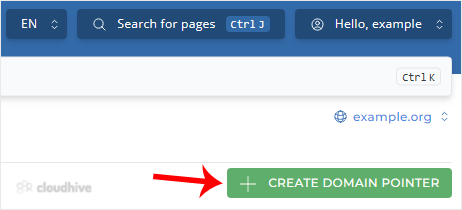
4. Under Source Domain, please enter your domain pointer name.
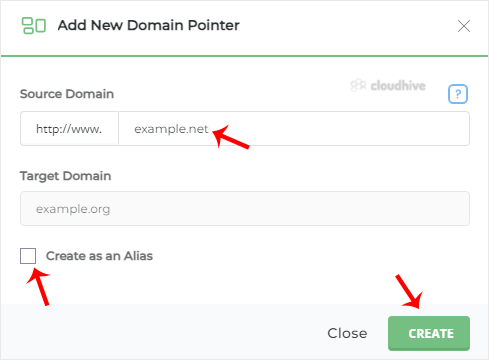
5. Unmark Create as an Alias and click on Create.
The domain pointer will not work if it points to the same nameservers as your primary nameservers.