
With a domain alias, you can access old.example.com on new.example.com.
1. Log in to your DirectAdmin Account.
2. In the Account Manager section, click on Domain Pointers. Alternatively, type Domain Pointers in the search bar, and the option will appear. Click on it.
3. Click on Create Domain Pointer. You will find it on the top right.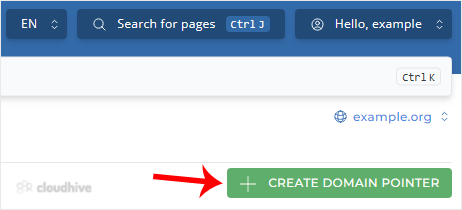
4. Under Source Domain, enter your domain pointer name.
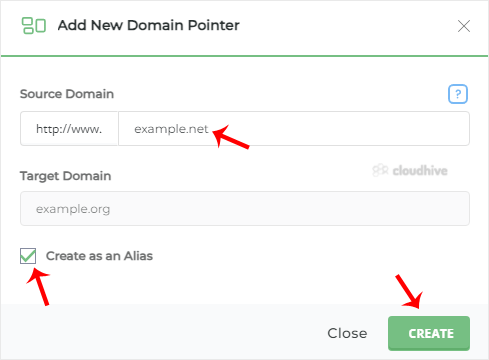
5. Make sure that Create as an Alias is check-marked.
6. Click on Create.
Your domain alias will be successfully created.