
When managing a database in cPanel, it is important to add a user and set the right permissions for secure access. It ensures that only authorized users can make changes or retrieve data, keeping your websites database safe.
1. Log in to your cPanel account.
2. In the Databases section, click on Manage My Databases.
3. Scroll down to the end of the page and under Add User to Database, select a user and database from the drop-down list.
4. Click on Add.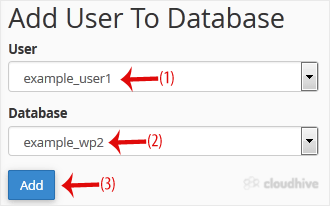
5. On Manage User Privileges. Mark the box ALL PRIVILEGES and click on Make Changes.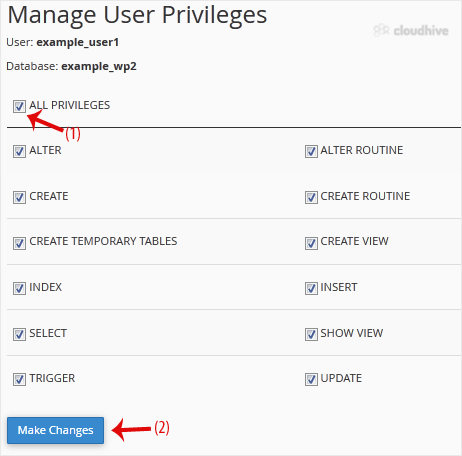
We hope this tutorial is helpful to you.