
 Security
How to Access VPS via VNC in SolusVM 1
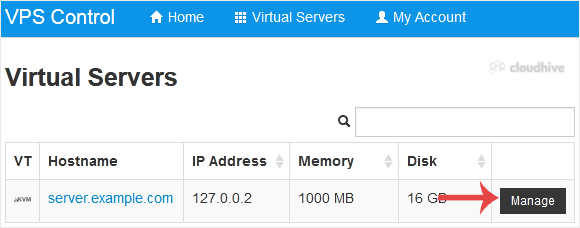
You can access your VPS via VNC in an emergency, such as when a firewall blocks your IP, the Internet connection on the VPS is not working, and when you cannot access SSH. Also, you can use VNC for OS installation/reinstallation.1. Log in to your SolusVM 1 Control Panel. 2. If you have multiple V...
Security
How to Reset Your SiteWorx Account Password
After you access your SiteWorx account, follow these steps to reset your password: 1. Log in to your SiteWorx account. 2. In the Administration section, click on User Accounts. 3. Click on the Pencil icon attached to the account you want to edit.4. Enter the new password or click on Magic Wand to...
Security
How to Restrict Access to Directories by IP Address - SiteWorx
To secure your admin area from hackers, you should only allow access to your admin directory from selected IP addresses. You can create a dot htaccess file in the directory where you want to restrict access to specific IP addresses.For example, if you have a WordPress blog installed on your main ...
Security
How to Disable Directory Browsing Using the htaccess Rule
For security purposes, you should disable directory browsing on your website so no one can see the files/directories of your website. You can disable Directory Browsing by adding the below line to your dot htaccess file. Options -Indexes
Security
How to Restrict Access to Directories by IP Address
To secure your admin area from hackers, you should only allow access to your admin directory from selected IP addresses. You can create a dot htaccess file in the directory where you want to restrict access to specific IP addresses.For example, if you have a WordPress blog installed on your main ...
Security
How to Disable Directory Browsing Using the htaccess Rule
For security purposes, you should disable directory browsing on your website so no one can see the files/directories of your website. You can disable Directory Browsing by adding the below line to your dot htaccess file. Options -Indexes