
Follow this tutorial to edit or delete Scheduled Tasks (Cron Jobs) in Plesk.
How to Edit a Scheduled Task?
1. Log in to your Plesk account.
2. Click on Websites & Domains from the Sidebar Menu.

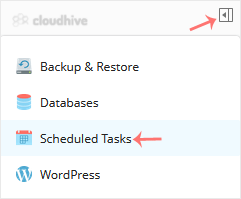
3. Click on the Pull icon in the right sidebar and choose Scheduled Tasks.
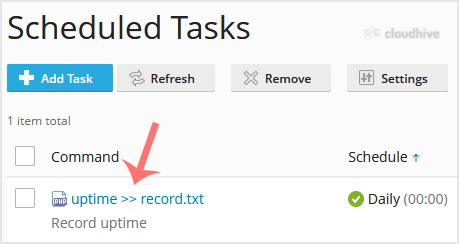
4. Under the Command list, locate your task and click on it.
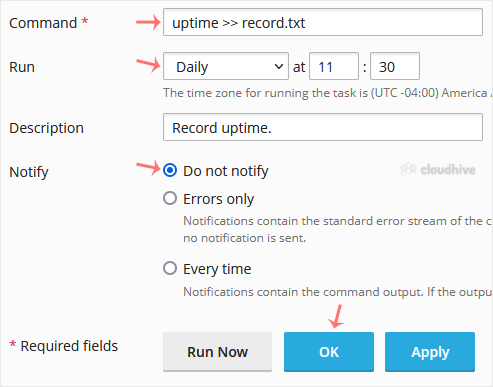
5. Make appropriate changes and confirm with OK.
How to Delete Scheduled Task?
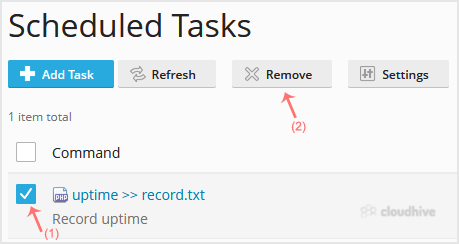
1. Select the tasks you want to remove under the Command list and click on Remove.
2. A confirmation box will appear. Click Yes, and the selected task will be removed.
You have now learned how to edit or remove scheduled tasks in Plesk.