
You can generate a backup of your database and download it to your computer using Plesk.
1. Log in to your Plesk account.
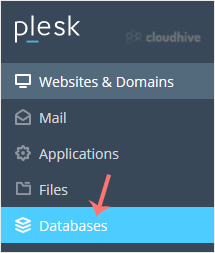
2. Click on Databases from the Sidebar Menu.
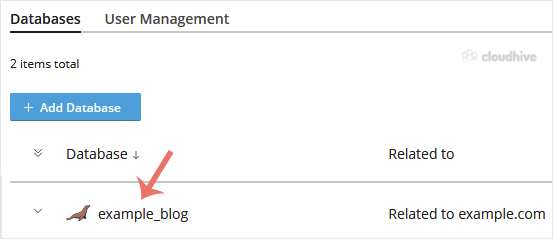
3. Choose the database you want to download from the list of databases.
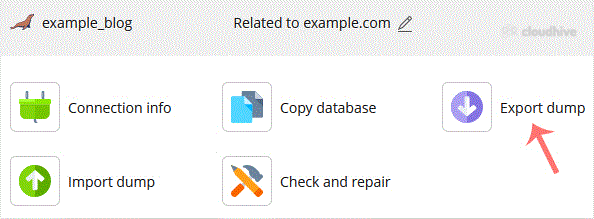
4. Proceed with Export Dump, and a popup box will appear.
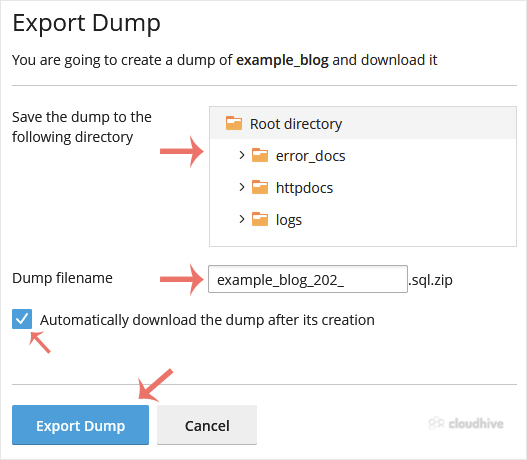
5. Choose the directory where your database dump will be saved. Checkmark Automatically download the dump after its creation, and confirm with Export Dump.
Once the database dump is generated, your browser will prompt you to download it. If not, click Download.