
How to Change Hostname in SolusVM 1 Tutorial

How to Change Hostname in SolusVM 1

You can change the hostname in SolusVM 1.


1. Log in to your SolusVM 1 Control Panel.

2. If you have multiple VPSs, select the appropriate one.
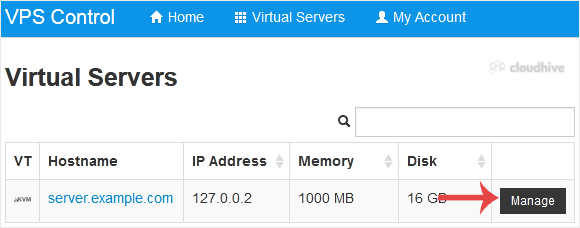


3
. Scroll down. Under the Hostname tab, enter your hostname in the text field. Then click on Change.
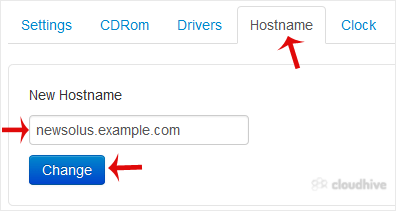


4. A reboot is required so that the saved changes can take effect.


Some example hostnames:
server1.example.com
hostingserver.example.com

You have successfully changed the hostname.

Share: Twitter LinkedIn WhatsApp

Expert Knowledge

Articles written by certified WHMCS developers and hosting professionals.

Regularly Updated

Fresh content published regularly to keep you up to date with the latest.

Community Focused

Content built around real questions and challenges from our community.

Actionable Tips

Every article includes step-by-step guides you can apply immediately.